Dashboards that refresh themselves
Every new Connect version lands in Speckle Intelligence: element counts, quantities, carbon, model health, all current without anyone exporting.
Pick the files that matter in your Trimble Connect project. Speckle keeps them current, so everyone can view, share, analyse and automate on live model data, without exports or re-uploads.
Choose the files that matter, from any Connect project.
Your team keeps publishing to Connect, the way they do today.
 Export TrimBIMTekla Structures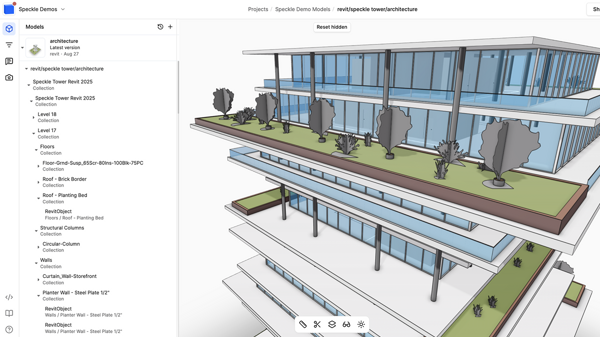
 ROC-STR-FrameVersions
Every new version in Connect becomes a new version in Speckle, history included. Nothing is ever written back to Connect.
Whatever your team publishes to Connect, Speckle picks up. Tekla, SketchUp, Revit, DWG, IFC and Trimble’s own TrimBIM: one project, every model, always the latest version.
 SketchUp.skpTekla Structures.trb · .ifc
 Trimble Business Center.trb · .ifc · .dwgQuadri.trb
 Revit.rvt
 AutoCAD.dwg
 Navisworks.nwd · .nwc
 IFC.ifc
published to
 Trimble Connect
kept current in

ready for
Also reads OpenRoads, Vectorworks, Solibri and STEP files from Connect. Tekla Structural Designer publishes to Speckle through its own connector.
Every new Connect version lands in Speckle Intelligence: element counts, quantities, carbon, model health, all current without anyone exporting.
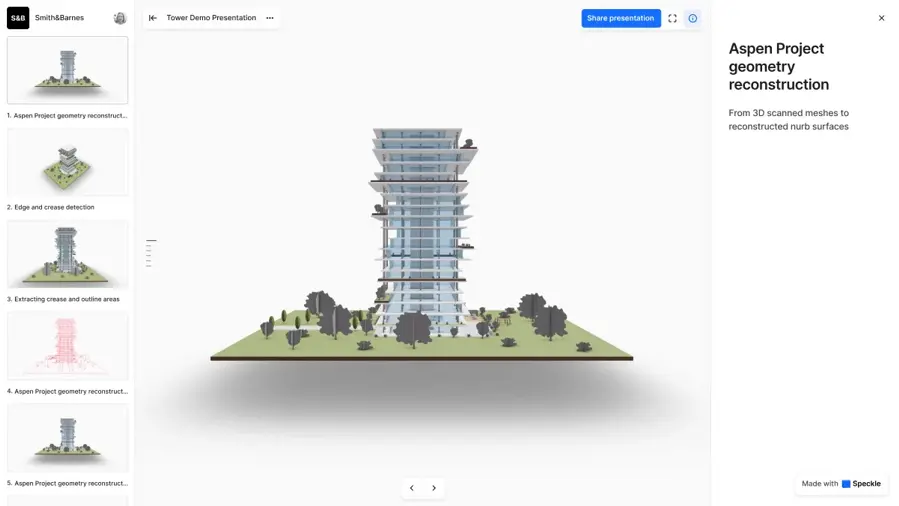
Send a link. Clients, consultants and site teams open the model in the browser, comment and present, with no Connect licence and no download.
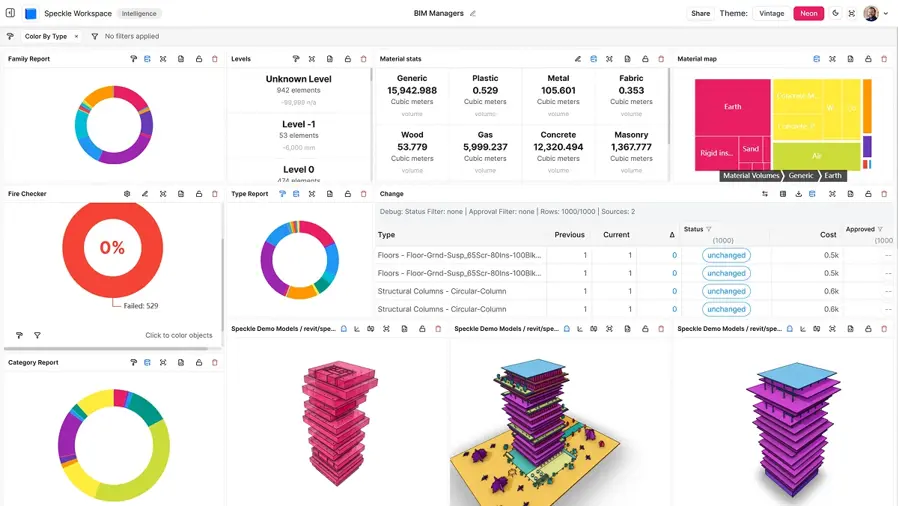
Point the Speckle Power BI connector at a synced model. Every report refresh picks up the latest Connect version, with no Tekla or SketchUp export in between.
Each Connect version becomes a Speckle version. Compare any two, see what changed, and go back to how the project looked in week one.
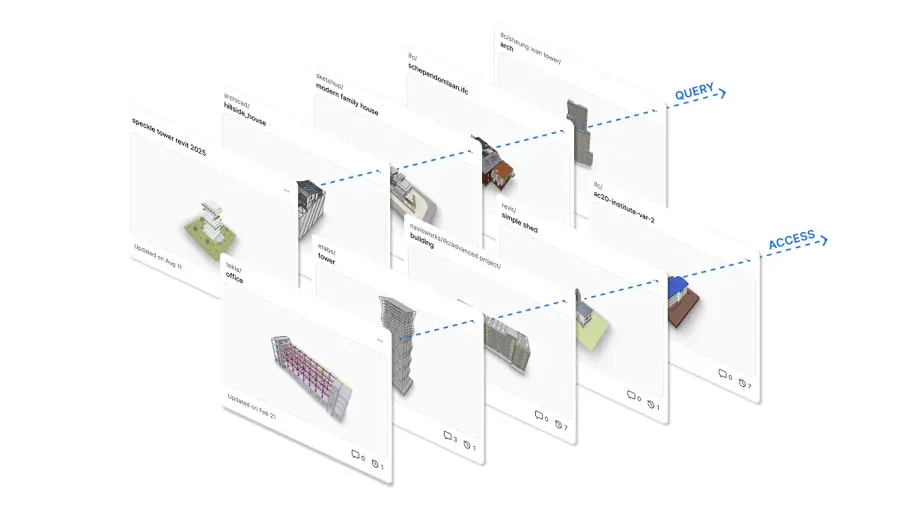
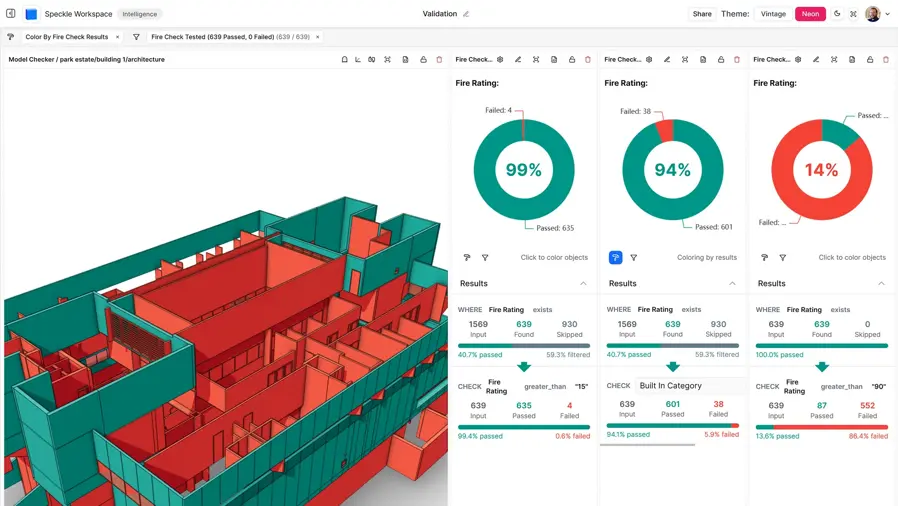
Run naming, completeness and clash checks on every new version with Speckle Automate, and have the result before the coordination meeting.
Speckle only reads. Files, folders and permissions in Connect stay exactly as your admins set them, and nothing is ever written back.
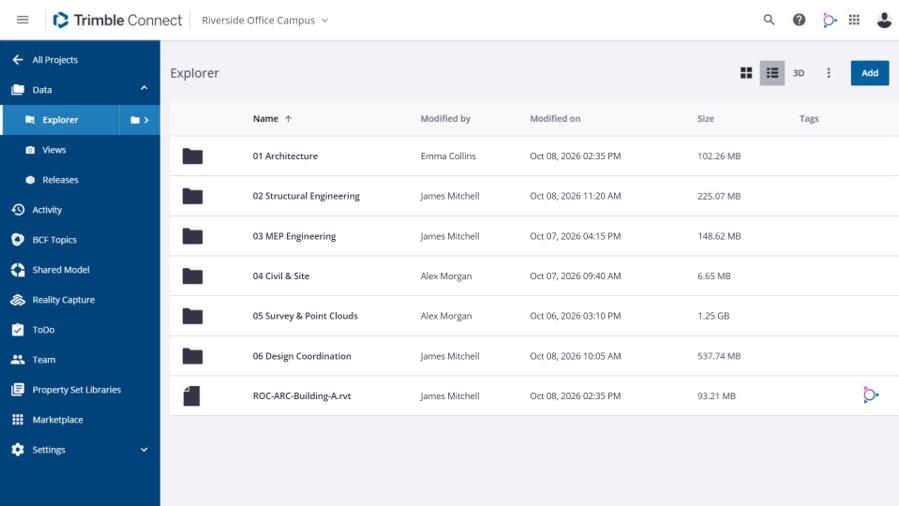
Trimble’s own apps publish to Connect in TrimBIM, and Speckle reads it in full. The Revit, DWG, Navisworks and IFC files already in your project come along too.
Concept and design models, exactly as saved to Connect.
.skp
Steel and concrete detail, with every assembly and property set.
.trb · .ifc
Analysis and design models reach Speckle through our own connector.
Anything that exports IFC, from any vendor.
.ifc
Surfaces, corridors and survey data, next to the building models.
.trb · .ifc · .dwg
Infrastructure models from Quadri, shared with the whole project.
.trb
Mechanical and electrical design from Nova, alongside the architecture.
.trb · .ifc
MEP models drawn in Stabicad, read as the Revit or AutoCAD files they live in.
.rvt · .dwg
Fabrication-ready MEP from SysQue, read as Revit.
.rvt
Revit files in Connect, including those uploaded with Connect for Revit.
.rvt
2D and 3D DWG from any discipline, read with layers and blocks.
.dwg
Federated coordination models, hierarchy included.
.nwd · .nwc

Road, rail and site models from OpenRoads, read as DGN.
.dgn

Architecture and landscape models from Vectorworks.
.vwx
Also reads Solibri and STEP files from Connect.