Design Explorer (beta) for Grasshopper options and more
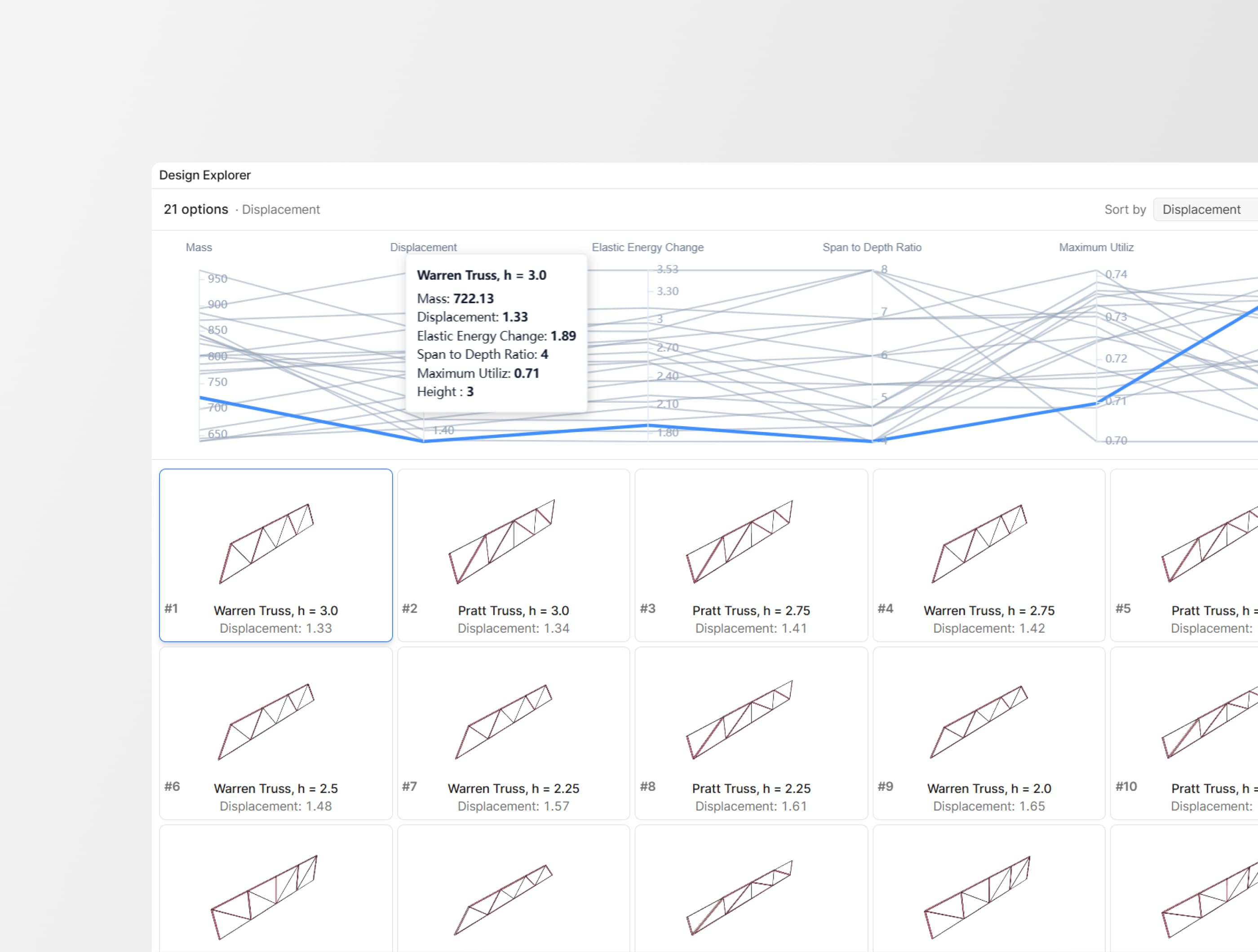
This release adds Design Explorer (beta) for Grasshopper generative studies, a new color-by-property workflow in the web viewer, and a set of improvements across Automate, Intelligence dashboards, and the core interface.
Design Explorer (beta)
A new widget in Speckle Intelligence dashboards turns any Grasshopper generative study into a browsable, comparable decision space.
Tag your options in Grasshopper, publish to Speckle, and the widget builds itself—3D thumbnails, a parallel coordinates chart across all your metrics, and a detail view with a full 3D viewer.
Design Explorer (beta) is now available across all plans. If you publish Grasshopper models to Speckle, you can start tagging options today!
Color by property
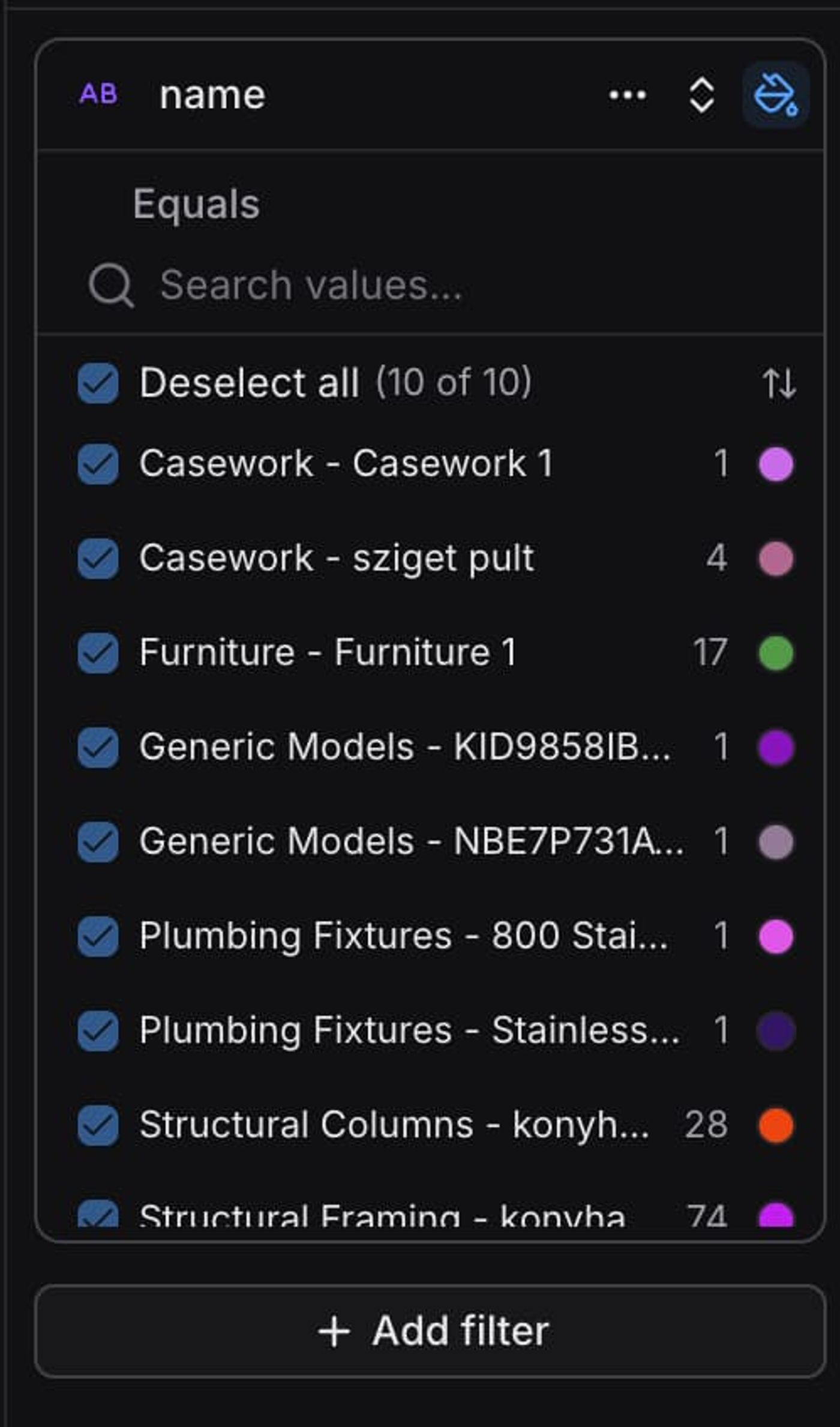
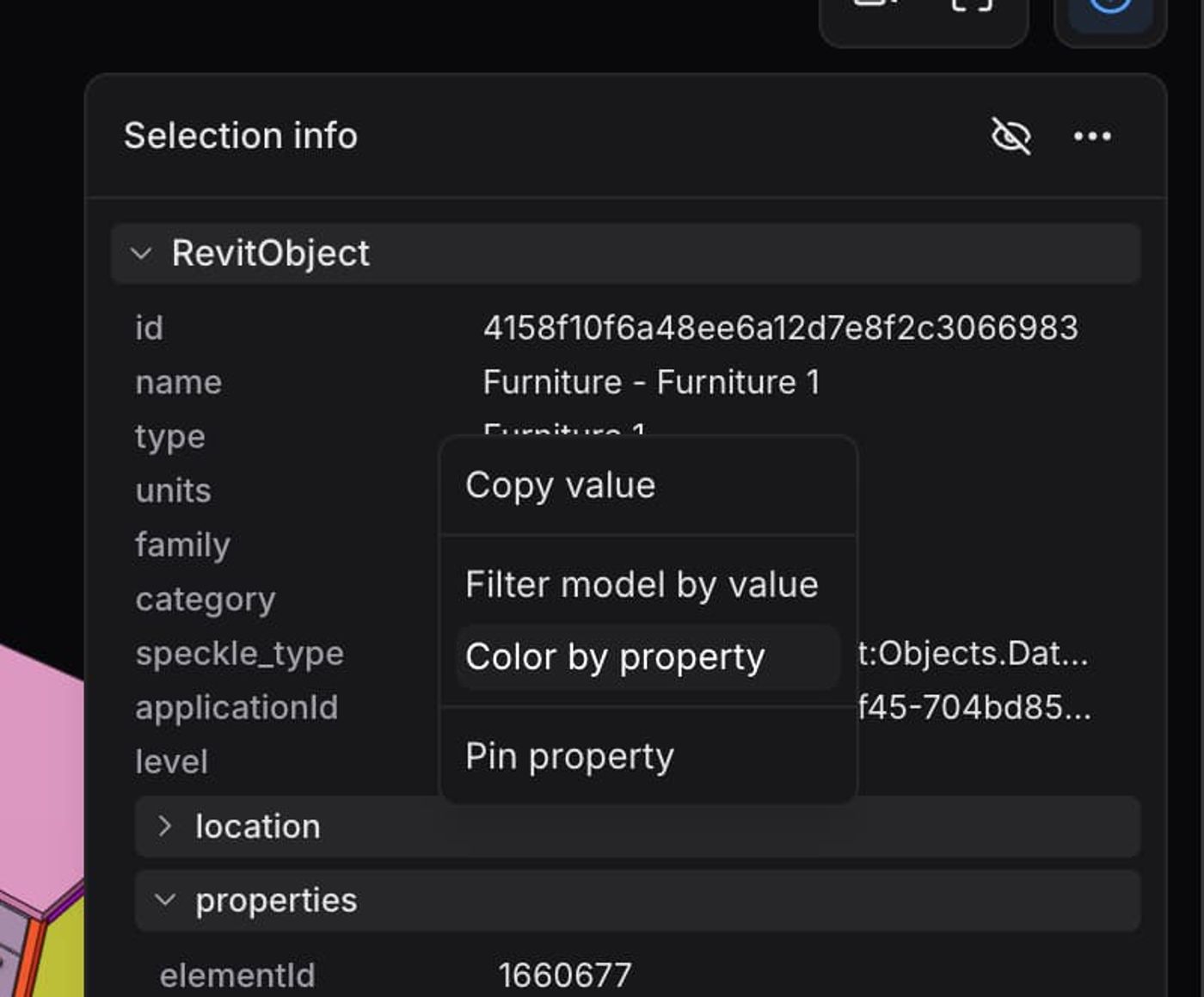
The selection info panel now includes a new “Color by property” shortcut. With a single click, every object in the model is colored by that property’s value, making it much faster to visualize and understand model breakdowns without manually setting up filters and color rules.
Improvements
Speckle Automate results are back in the new interface
Project automation settings, the function-creation wizard, and the functions overview are now available in the new Speckle interface, at the model level.
Duplicate Speckle Intelligence dashboards
Speckle Intelligence dashboards can now be duplicated and used as a starting point for new dashboards, so you don’t have to build every setup from scratch. Reuse existing configurations, adapt them to new projects, and get insights up and running significantly faster.
Improved embed layout
Embedded viewers in the new frontend have a clear layout, and various inconsistencies were fixed.
Better file upload reporting
Clearer progress and status feedback during uploads.
Share button on model navigation bar
Quicker access to sharing directly from the model page.
Live syncs polish
File sizes and a project timeline view were added to sync components.