Markups for better design reviews
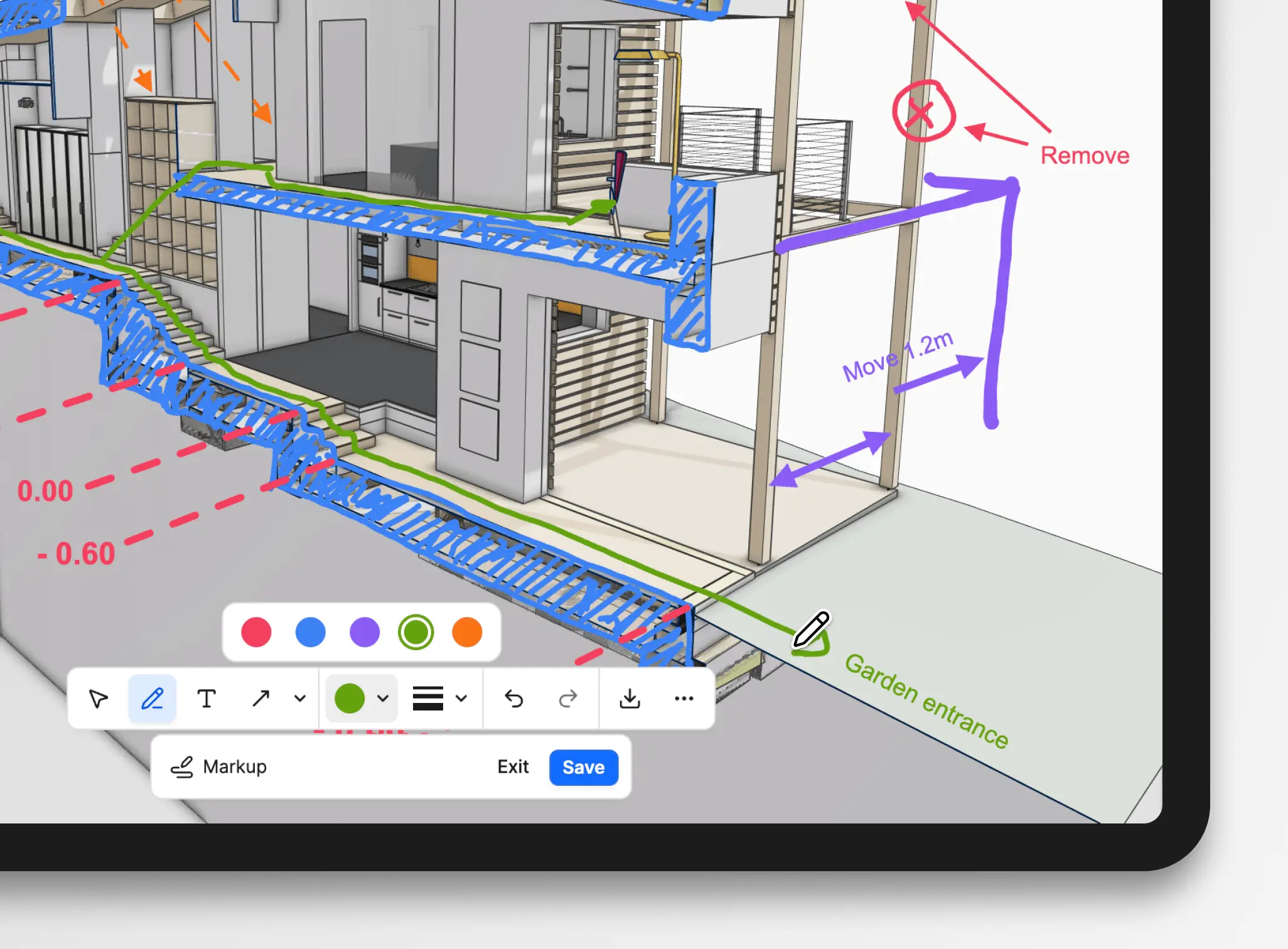
You can now draw and annotate on models in the Speckle 3D viewer to deliver clear, fast feedback that stays with the design. Goodbye screenshots and switching between tools; design review happens in Speckle!
How it works
Sketching is how teams give feedback and designers think. A quick circle around a problem area, an arrow pointing to where something should move, a note. It's instinctive and immediate. That's exactly how it is in Speckle.
- Annotation tools: Use the Pen tool for freehand drawing, or select from a set of ready-made shapes: rectangles, circles, arrows, lines, polylines.
- Add notes: Use the Text tool to add written notes directly on the canvas.
- Styling options: Choose from a curated color palette and control the stroke width and style. We've kept things simple.
- Mobile-ready: Works on phones and tablets, not just desktop – useful for on-site reviews.
- Save as views: Markups are stored as saved views, capturing the camera angle, filters, and entire model state along with your annotations.
- Export options: Download as an image or copy to the clipboard for immediate sharing.
Use Markups with Saved views and Presentations
When you save a markup, it's stored as a Saved view. This means it captures not only the markup but also the camera angle, visible objects, and any filters applied when you made the annotation. Open that view later from the Views panel and you see exactly what was marked up, in context.
Organize saved markup views into folders by review round, discipline, or topic. Since Saved views power Presentations, your markups will also automatically appear when you turn a group of saved views into a slideshow. Now you can walk internal or external stakeholders through annotated slides one by one, instead of handing them a free-roaming model or static screenshots.
If you haven't explored Saved views or Presentations yet, the workflow is simple: save and annotate what matters, organize into groups, then reference individually or present as slides.
Availability
Anyone viewing a model can create and export markups. Users with the "Can edit" project role can also save markups to the model for the whole team to reference.
Markups are available now across all Speckle plans, free and paid.
Try it in your next design review! And let us know what you think.
Make your 3D model the place where decisions happen!