Native Revit families, model validation (beta) and more
This month’s Speckle updates strengthen interoperability, validation, and data reliability across the platform.
From native Revit family support for blocks to governed model validation inside Speckle Intelligence, these improvements make it easier to exchange, check, and trust AEC data across your tools and teams.
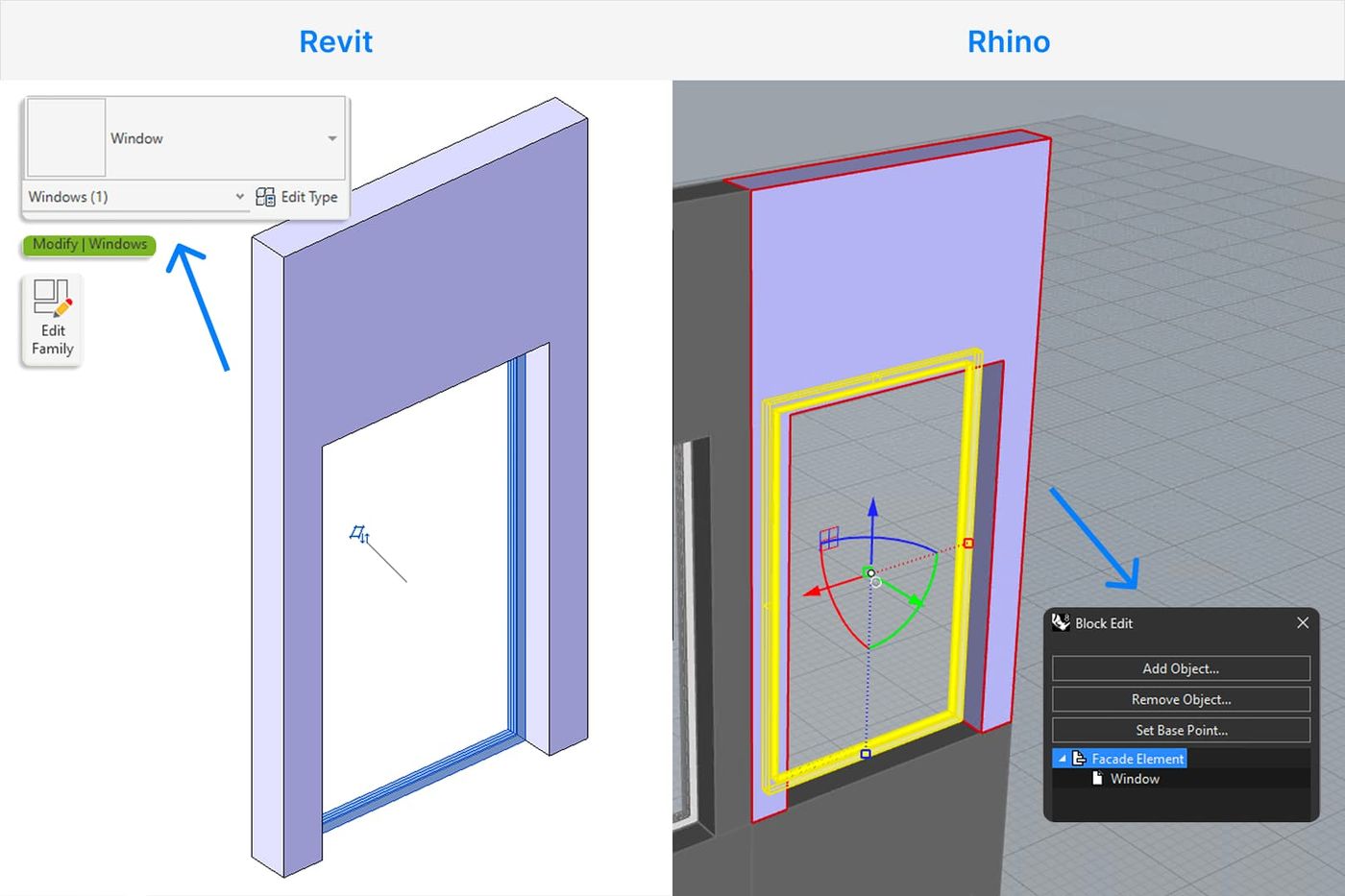
Blocks to Revit Families
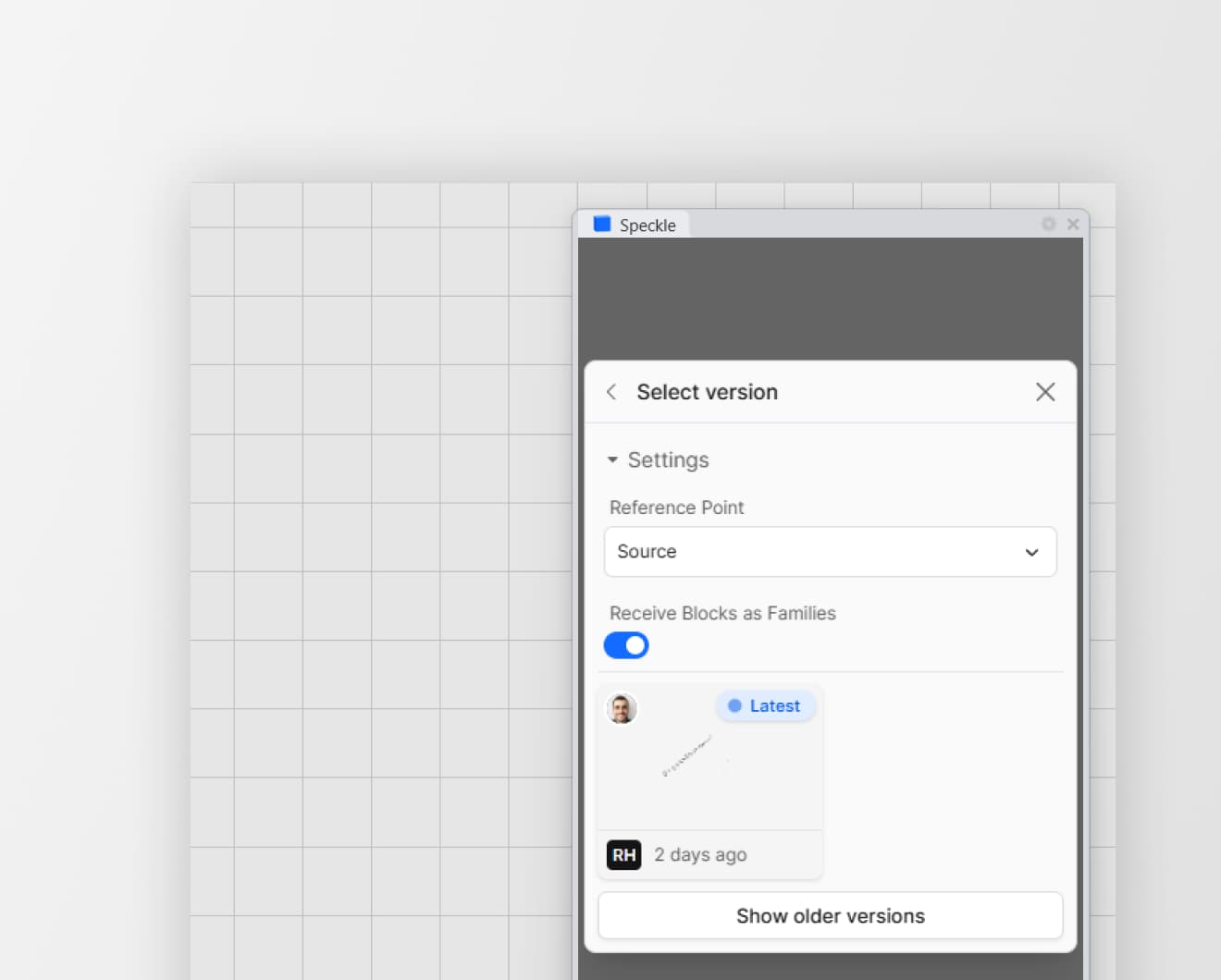
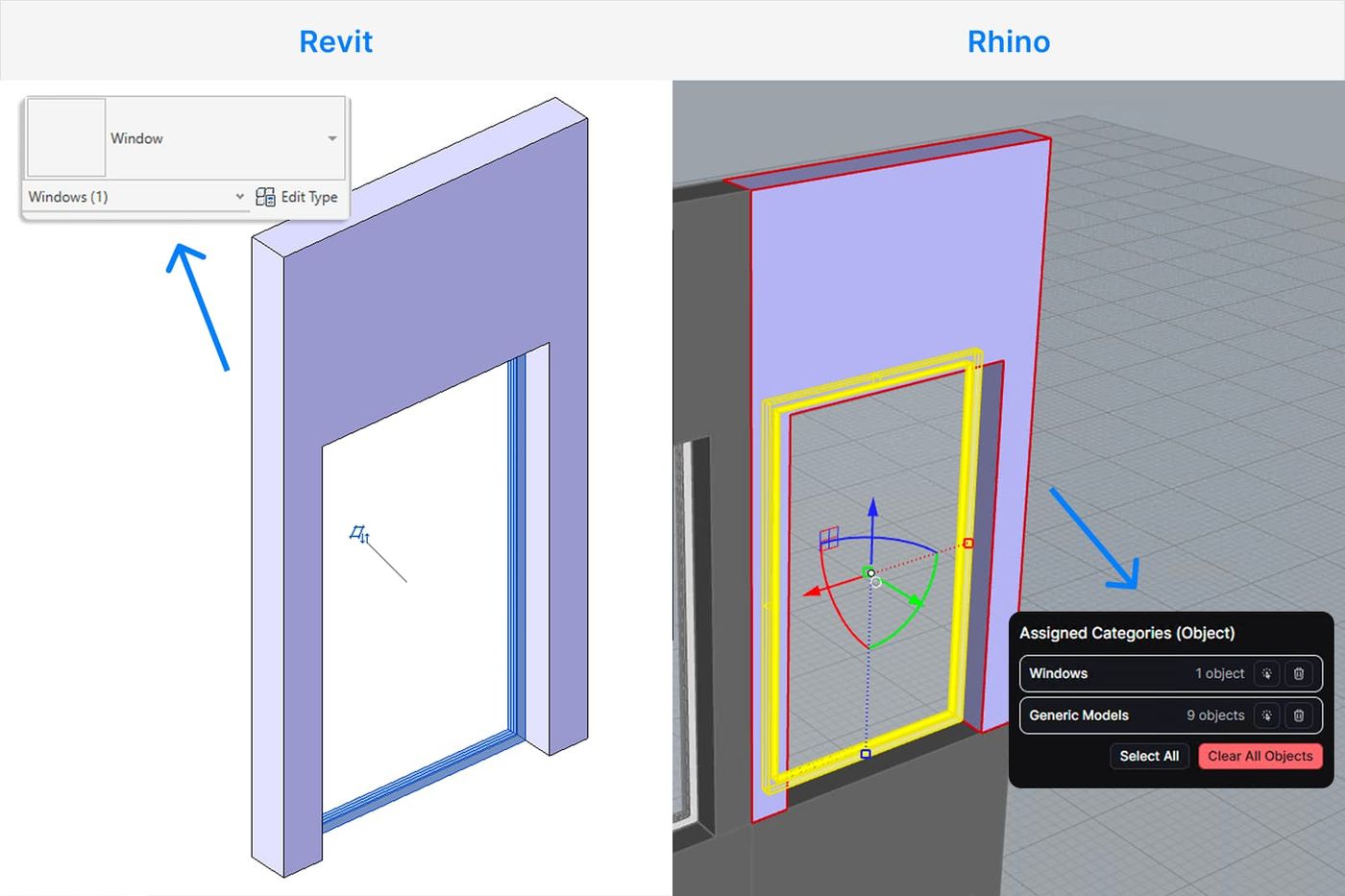
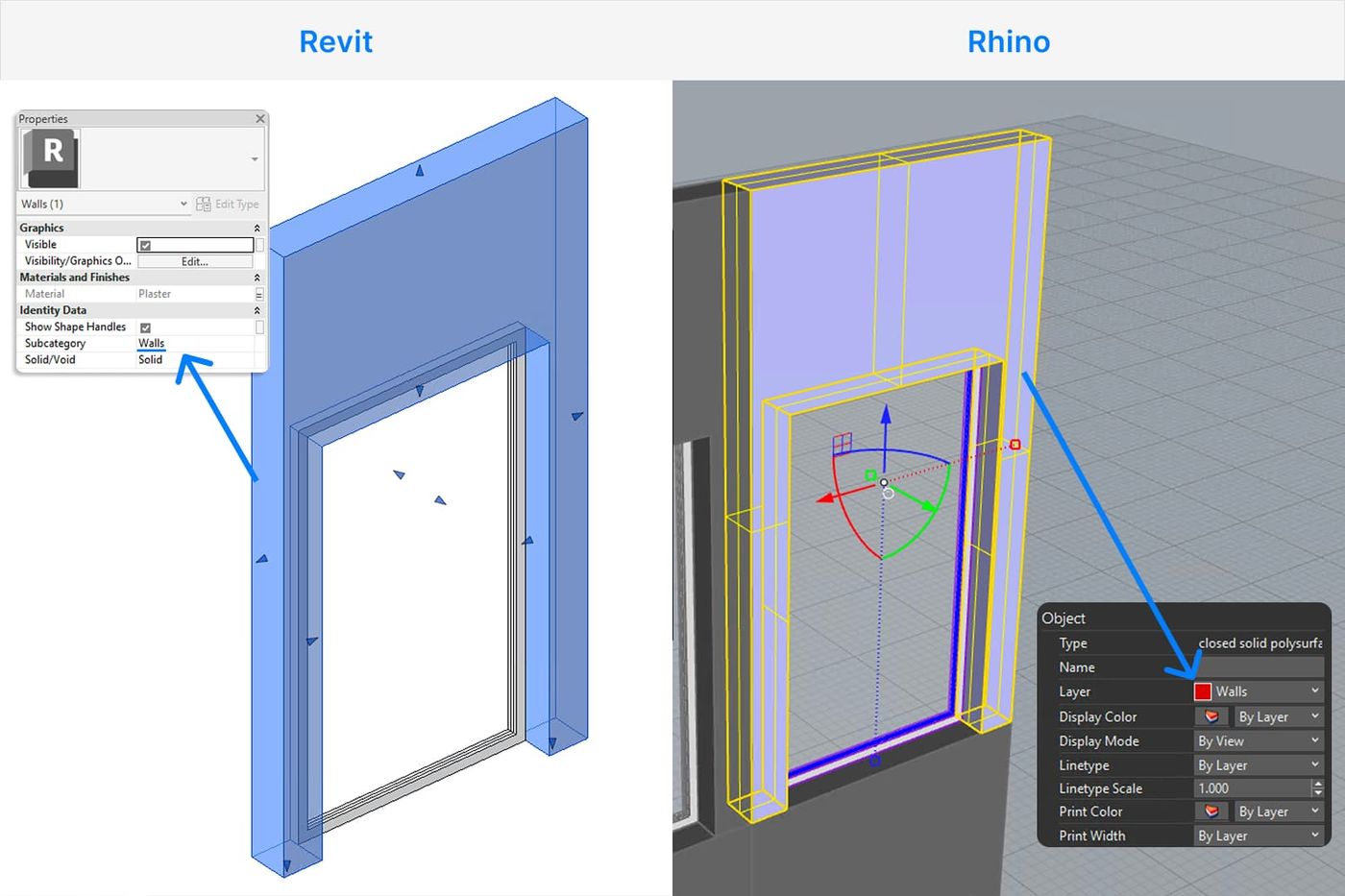
Geometry blocks from Rhino, SketchUp, and other block-based tools can now be received as native Revit families rather than generic DirectShapes.
A new toggle in the Revit connector settings lets you choose between families, which provide full parametric behavior and schedule support in Revit, and the original DirectShape approach, which remains available for faster, lighter imports.
AutoCAD & Civil 3D - Reference Point support
When publishing models from AutoCAD or Civil 3D, the active coordinate system (WCS or UCS) is now respected.
Revit <> Rhino - View and Material Interoperability
Both connectors now support publishing and loading views. Rhino publishes named views and loads views from any other application as named views. Revit publishes 3D perspective views and loads views from other applications.
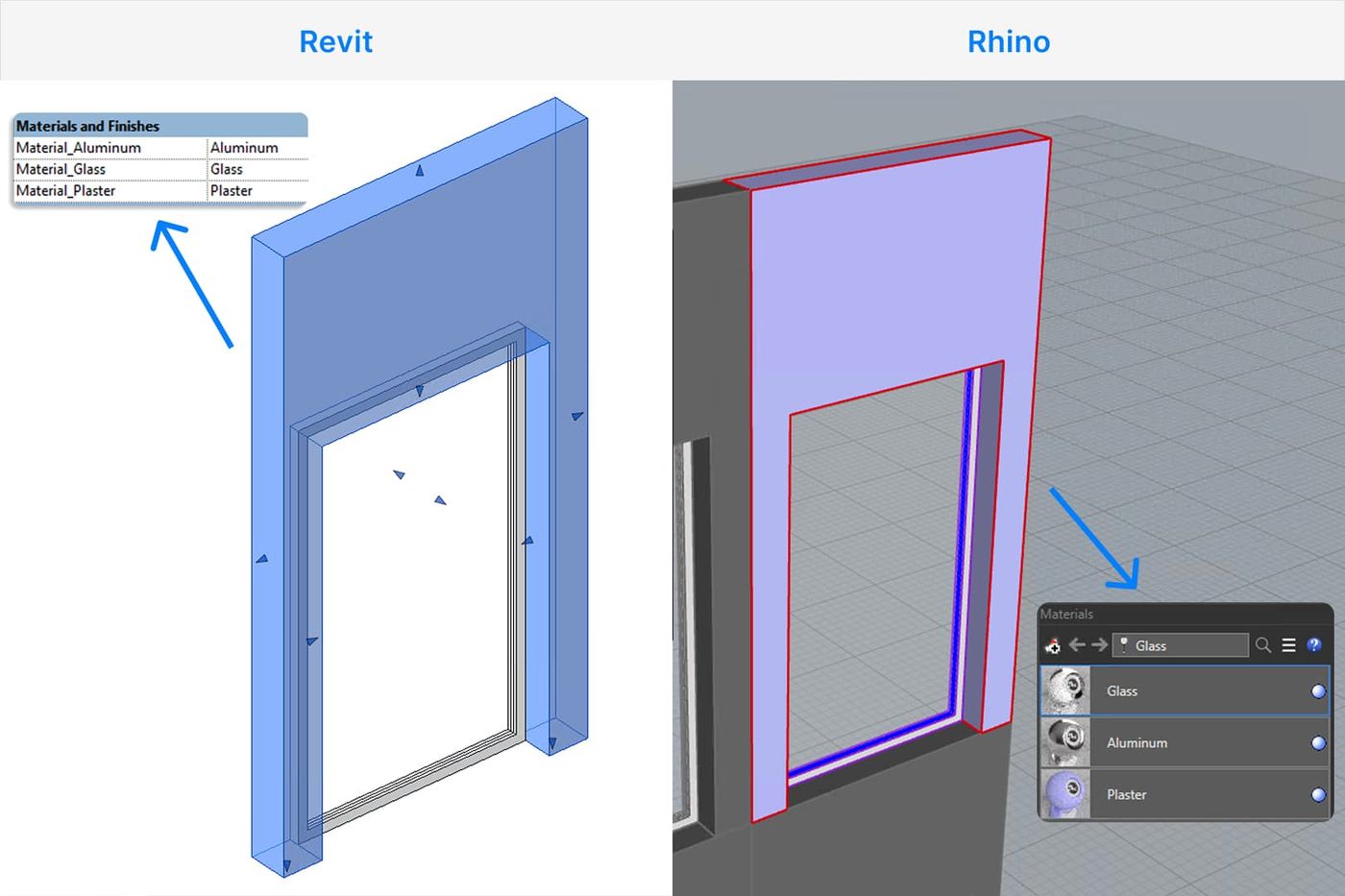
Materials are now matched by name at receiving, preventing duplicates and keeping your material library clean across multiple sync cycles.
For details, see the docs.
Speckle Intelligence
Model validation (beta)
Model Validation is now available on paid Speckle plans, formalizing structured checks directly inside dashboards. You can:
- Validate any property (any type) across any data source
- Group checks into versioned rulesets
- Import IDS, COBie, and legacy Model Checker rules
- Review results in a dedicated validation sidebar
- Migrate existing Property Checker rules into rulesets
This turns dashboards into repeatable, governed validation environments rather than one-off checks.
Filtering and data integrity
Filtering is now more expressive and consistent, with clearer conditions such as Has Value, Is One Of, and Is Not One Of, and improved pattern matching that supports wildcards and full Regex.
Pivot tables support filtering, numeric handling is more reliable across widgets, and stale or invalid data sources are cleaned up more aggressively to avoid misleading results.
Navigation and usability
Dashboards now open directly in context from model links, and project-scoped dashboards skip the project selection step. Plan limits messaging is clearer, making workspace and boundary conditions easier to understand.
Widgets, presentation, and interaction
Property-based widgets support dropdown chart types and “select by” cross-filtering. Presentation mode is cleaner, text inside widgets is selectable, render widgets retain saved camera positions, and version tracking in shared dashboards is more reliable. Expiring shared links now display clear badges.
Stability and consistency
A beta indicator clarifies individual component status, messaging, and dashboard stability; long data source names are now fully visible via tooltips; and filtering behaviour is now aligned with the main Speckle web app for a more consistent experience across the platform.
Be the first to get Speckle Updates directly in your inbox!
Navisworks in ACC
Support for Navisworks with Speckle’s Autodesk Construction Cloud integration will be available by the end of the week, so stay tuned!
Additional Improvements
Revit
Features
- Added a new "Send Areas As Mesh" toggle in connector settings (off by default), allowing Revit areas to be published as planar display meshes instead of being skipped. (#1261)
Fixes
- Fixed long-standing Revit crashes reported by the community. If you've experienced unexpected Revit crashes, this should resolve them. (#1267)
- Unsupported unit systems (e.g. US Survey Feet) now show a clear error message with the actual unit name and instructions to change the document's units, instead of displaying a raw internal type name. (#1264)
- Structural connection elements (bolts and plates) were silently excluded; this is now fixed. (#1289)
- Instance proxy cache keys now include the mesh's material ID, preventing identical geometry with different materials from incorrectly sharing the same instance proxy and losing material assignments. (#1259)
- Fixed imported external files (DWG, DXF, IFC, etc.) being silently skipped during publish by moving the invalid-category check out of the shared utility into the UI-specific category filter. (#1251)
- Fixed red and blue color channels being swapped when publishing point clouds from Revit to Speckle. (#1249)
- Revit's
Group.GetMemberIds()leaks internal sketch lines and form elements from stairs and in-place masses; these are now filtered out using a category block list so groups only publish their visible, intended geometry. (#1266) - Unplaced rooms no longer publish with geometry. (#1274)
Chores
- Renamed
revitInstancedObjectstodefinitionGeometry(#1265)
Grasshopper
Features
- The SpeckleDataObjectPassthrough component no longer requires geometry — it now runs as long as any single input (name, properties, or app ID) is connected, enabling metadata-only DataObjects to be created and sent. (#1287)
- The "Personal Projects" option is now hidden on workspace-enabled servers to prevent confusion and to fix a crash when switching between a non-workspace server and a workspace-enabled server while a workspace was selected. (#1268)
Fixes
- Fixed component drag hitboxes being offset (#1276)
- Mark received objects and clarify sourceApplication ambiguity (#1260)
AutoCAD
Features
- AutoCAD and Civil 3D connectors now deploy as
.bundlefolder packages (#1247)
Core
Features
- All sharp connectors (Revit, Rhino, AutoCAD, ETABS, Tekla, Navisworks, Grasshopper) now use model ingestion for publishing (#1263)
- Add a nullable cloud file id to check against on the server (#1221)
Drag & drop files and open up your workflows.