Model Validation (beta) and more
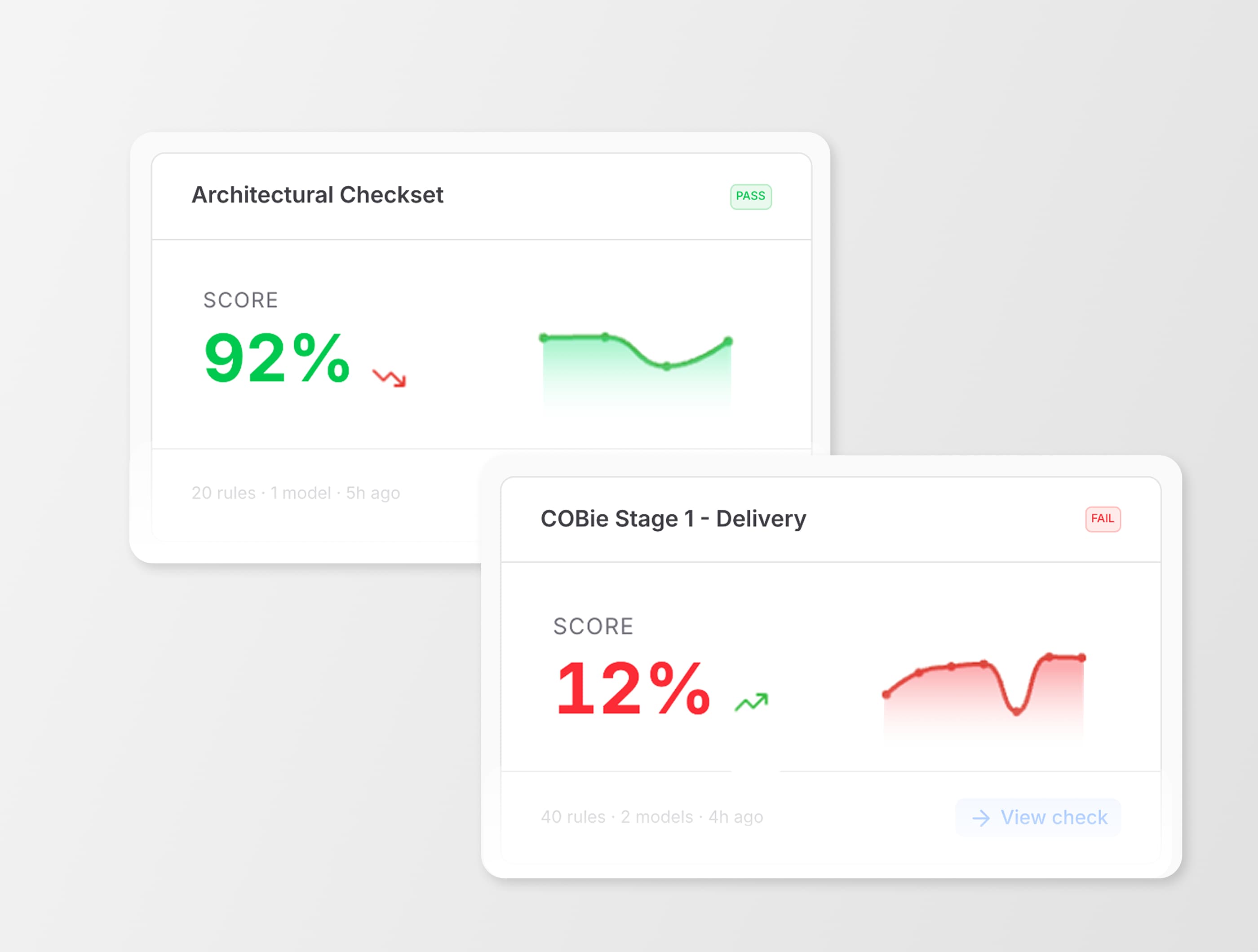
This release brings improvements across the web experience, Model Validation (beta), sharing, identity management, and integrations, making it easier to understand your data, keep it aligned with source systems, and act on it with less manual effort.
Until now, that usually meant going into models, checking things manually, exporting files, and stitching information together from different places. It worked, but it took time, and it was easy to miss things.
With this update, more of that signal is surfaced directly in Speckle. You can see what’s happening, get a sense of whether the data looks right, understand if it’s current, and know who has access, without having to dig for it.
What’s new
A clearer view of your workspace
The first thing you’ll notice is the new web interface.
Workspace, project, and model pages now show more information upfront, so you don’t have to navigate into models just to understand what’s changed. There’s also a new workspace activity timeline that gives you a live view of what’s been happening across your projects.
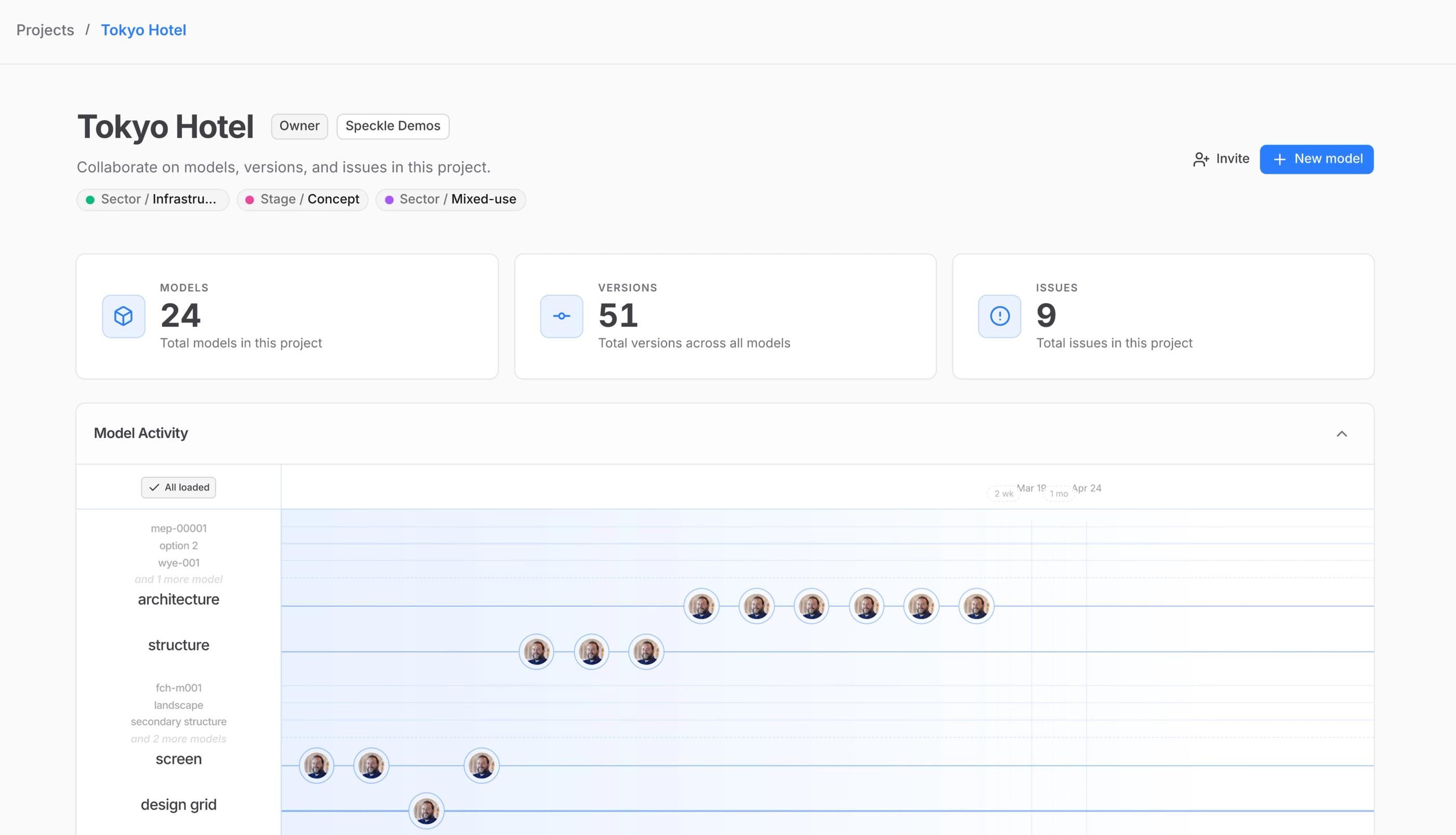
Project page in Speckle
At the same time, workflows are easier to follow. Issues and Integrations now have their own dedicated pages, and project management is improving with labels and metadata that help you organize and filter projects as things scale.
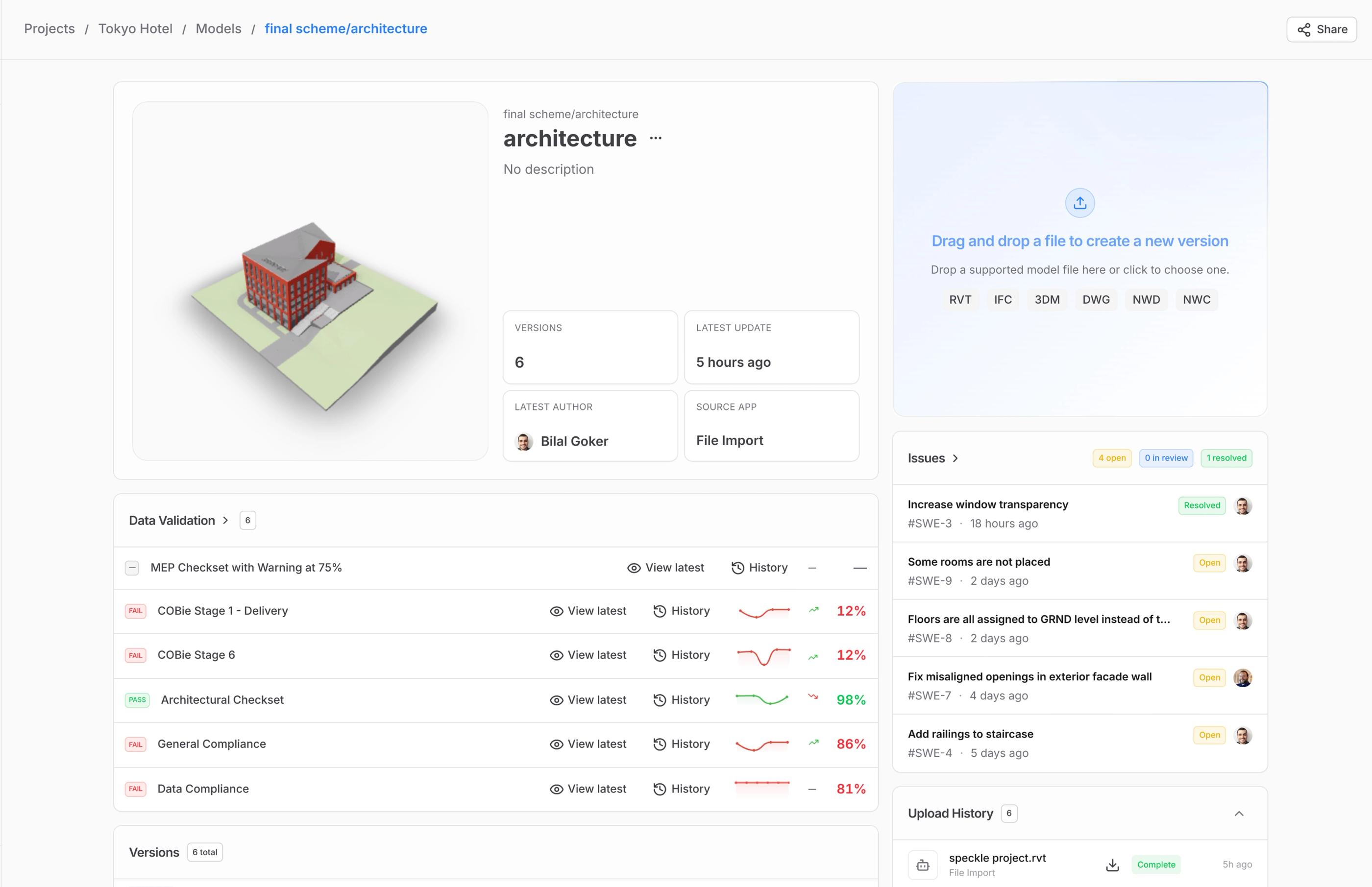
Model page in Speckle
Model Validation (beta)
One of the biggest gaps in most workflows is knowing whether the data is actually in good shape.
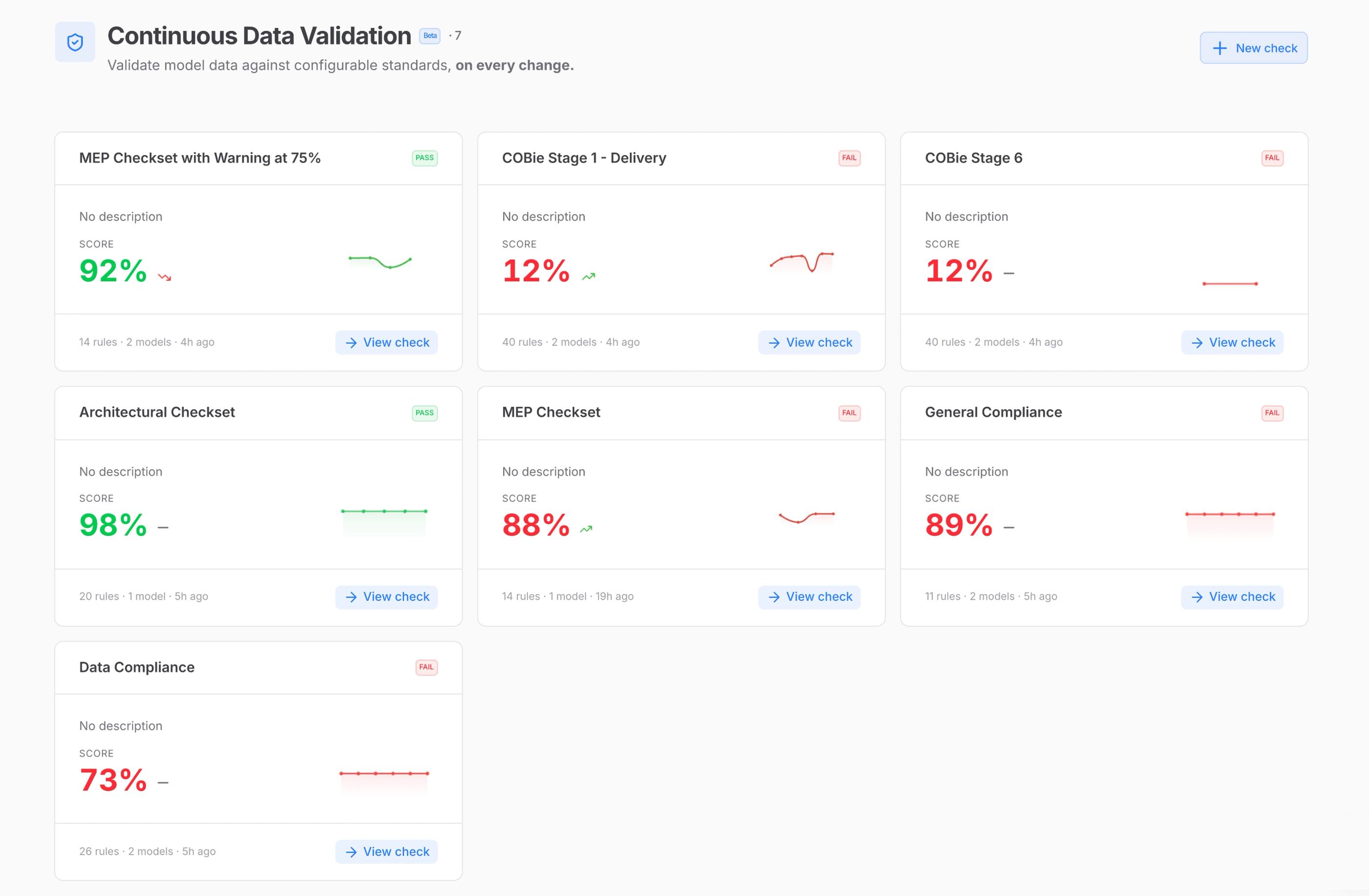
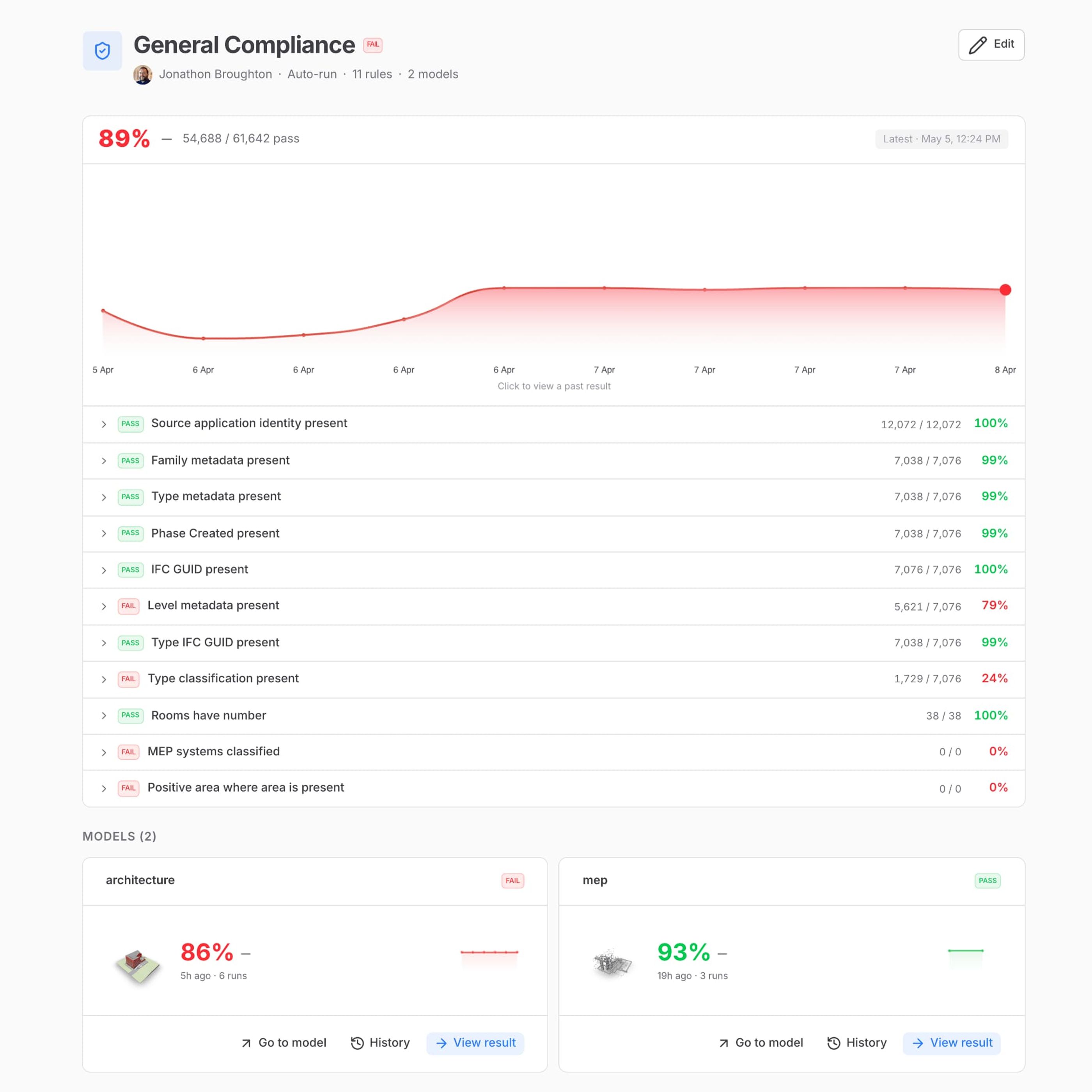
Model Validation, now available in public beta, starts to address that. Instead of manually checking models element by element, you can run validation checks directly in Speckle and get a quick read on data quality.
You’ll see model-level KPIs and checks for completeness, consistency, and rule compliance, along with how those signals change across versions. This makes it easier to spot missing or inconsistent data and understand whether things are improving or getting worse over time.
Speckle introduces project labels
It’s a shared, flexible way to organize the projects in your workspace.
You can now define a labeling system that mirrors how their team thinks: by stage (Active, On hold, Phase II), by sector (Healthcare, Workplace), by client, by office, or any other criteria. Labels can be grouped into themes, color-coded for instant visual recognition, and assigned across hundreds of projects in a few clicks.
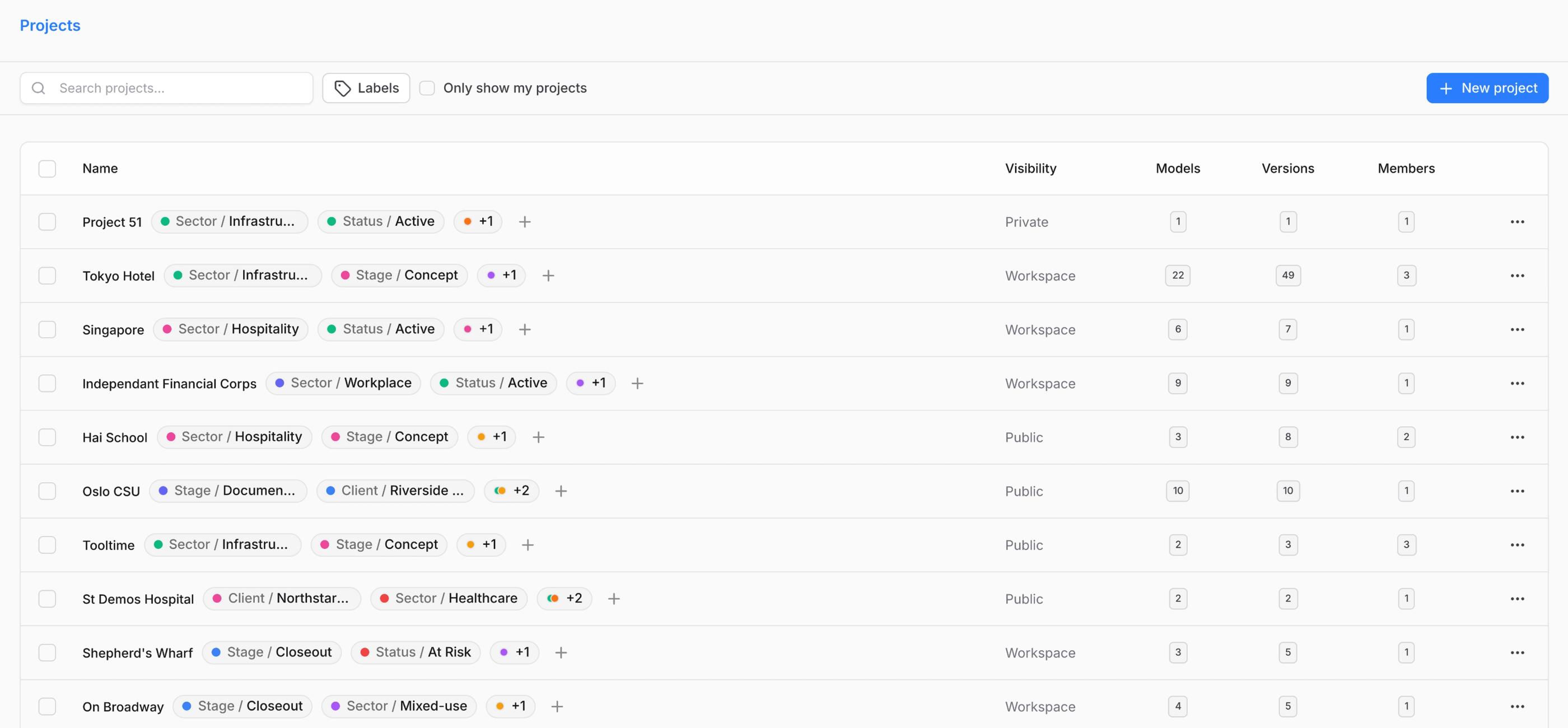
The workspace projects list becomes a working surface: filter by any label or combination of labels to instantly see "everything live in healthcare" or "all on-hold projects across our Vancouver studio." For workspaces on a custom region, all label data lives where your project data lives.
Better control over access
As teams grow, managing access becomes harder to keep up with.
This release includes several improvements to SSO and identity management. Workspace admins can now force users to revalidate their SSO sessions, and we’ve introduced a global token revocation API so identity providers can immediately remove access when needed.
We’ve also improved OAuth flows, so third-party applications can refresh SSO sessions more seamlessly.
On top of that, Speckle now supports SCIM (System for Cross-domain Identity Management). This means users can be automatically created, updated, and removed from a central identity provider such as Azure Active Directory or Okta, reducing much of the manual work in user provisioning and deprovisioning.
If you want to go deeper into how this works, you can read more here.
Keeping data aligned with source systems
A lot of issues in project workflows come from working with outdated information.
With the new integration with Bentley ProjectWise (beta), you can connect managed project files directly into Speckle and keep them in sync without manual uploads.
Once connected, files are continuously monitored. Updates, additions, or deletions in ProjectWise are reflected automatically. As files change, they can trigger downstream processes like dashboard updates, data workflows, and automations.
This reduces the need for exports, reduces reconciliation work, and helps ensure that analytics and visualizations are based on the latest available data.
It's still early days for this integration, so your feedback and testing is crucial for our team. If you want to test it, reach out to us at hello@speckle.systems and we'll get you set up.
Bringing civil data into the same workflows
Civil 3D DWG support has also been expanded. You can now bring DWG files into Speckle from multiple sources (Autodesk Construction Cloud, Bentley ProjectWise) or simple drag-and-drop uploads.
Once ingested, these files are no longer treated as static drawings. You can extract structured engineering data like alignments, surfaces, and utilities, and use that data directly in dashboards, validation, and automation workflows.
The experience is consistent regardless of where the file comes from, and you don’t need manual conversion or specialized tools to start working with the data.