Faster dashboards, better coordination, and more reliable model data
April brings new features across Speckle Intelligence and integrations to make model data easier to explore, compare, and reuse.
Speckle Intelligence
April focused on making dashboards easier to explore, easier to trust, and easier to operate day to day. This release improves how users navigate data, compare results, understand context, and maintain consistency across dashboards.
Explore and find data faster
Refined listing and search across widgets Requested
Refined listing and search are now available in more widgets, making it easier to locate specific values within large result sets.
Model data source as a property Requested
Model source information can now be used as a property, allowing more precise slicing and grouping of results.
Analyze and compare with more flexibility
Distinct Values Count widget Requested
A dedicated Distinct Values Count widget helps you quickly understand how many unique values exist in your data.
Side-by-side comparison for more charts
Side-by-side comparison now works for all Count By and Group By widgets, enabling direct comparison of grouped distributions.
Nested Blocks CAD widget (Experimental) Requested
A new Nested Blocks CAD widget allows you to work directly with nested CAD block structures in dashboards.
Inspect and validate with a clearer context
Open data sources in the viewer Requested
You can now open a data source directly in the Speckle viewer from dashboards, reducing context switching during inspection.
Smarter model validation behavior
Validation now recalculates only for selected loaded sources, with clearer feedback and improved handling.
Checker workflow improvements
The rule-saving flow in Checker has been streamlined to reduce friction.
Improve readability and visual consistency
Color blindness modes Requested
Dashboards now support color blindness modes to improve accessibility.
Legibility mode Requested
A new legibility mode enhances contrast and integrates with the color picker for clearer visual interpretation, specifically for 2D models with linework.
Consistent color mapping across widgets Requested
Category color mapping now stays consistent across widgets and charts. A dimension colored red in one chart will be colored red everywhere.
Custom theme color editing Requested
Theme colors can now each be edited and also reordered using draggable controls.
Configure and reuse dashboards more easily
Dashboard duplication in workspaces
Dashboards can now be duplicated within workspace contexts, enabling faster reuse.
Beta labels for experimental widgets
Experimental widgets are now clearly marked with a Beta badge.
Operate dashboards more smoothly
Layout stability and persistence Fix
Widget layouts are more stable and provide improved persistence across modes.
Table interaction improvements Fix
Column resizing and scrolling have been improved for dense tables.
Read-only state handling Fix
Read-only behavior is now clearer and more consistent for review workflows.
Reliability and platform improvements
Carbon calculation compatibility updates Fix
Material quantity processing for carbon calculations has been improved for Revit models sourced from Direct Upload and ACC syncs.
Property selection unified across all widgets
Previously, property configuration varied per widget; now, it provides a more consistent, predictable user experience.
Integrations
April focused on making integrations faster, more consistent, and more reliable across connectors. This release improves coordination workflows, aligns the data model across applications, and strengthens performance for large models
Platform improvements
Faster data sending across connectors
We’ve rewired how connector data is sent to Speckle, improving performance for large models without requiring any configuration, so large sends complete faster and more reliably.
Send cache control
A new option lets you disable the send cache when needed, so you can troubleshoot or force clean sends.
Enterprise defaults via registry and environment variables New
IT administrators can now define default server URLs and connector settings through registry keys or environment variables, enabling controlled deployment at scale and reducing setup overhead.
Failed import jobs no longer retried endlessly Fix
Failed jobs are now correctly skipped, so processing queues don’t get blocked by repeated failures.
Cloud integrations improvements
Improved Coordination
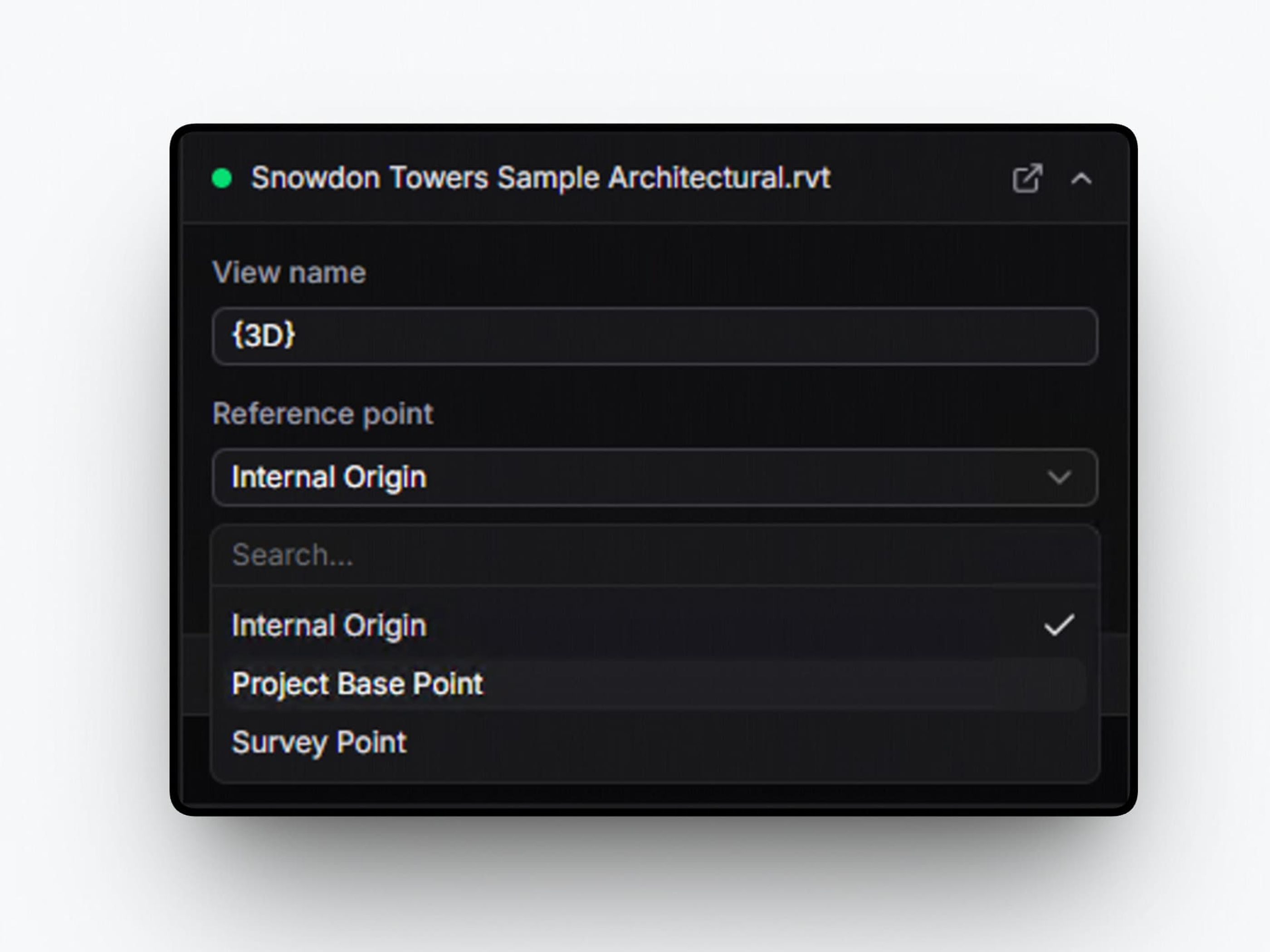
Models synced from cloud integrations now support a reference point input, matching the native Revit connector, so coordinated models align correctly without manual adjustment.
Improved data fidelity
Objects wrapped in DataObjects across connectors
Objects and geometries sent from Rhino, AutoCAD, and Civil 3D are now wrapped in DataObjects, so data behaves consistently across connectors and is easier to query, group, and reuse.
DWG/DXF layer colors preserved as material colors Fix
Layer color information is now used to derive material colors during import, preserving visual fidelity without post-processing.
Revit
Improved coordination
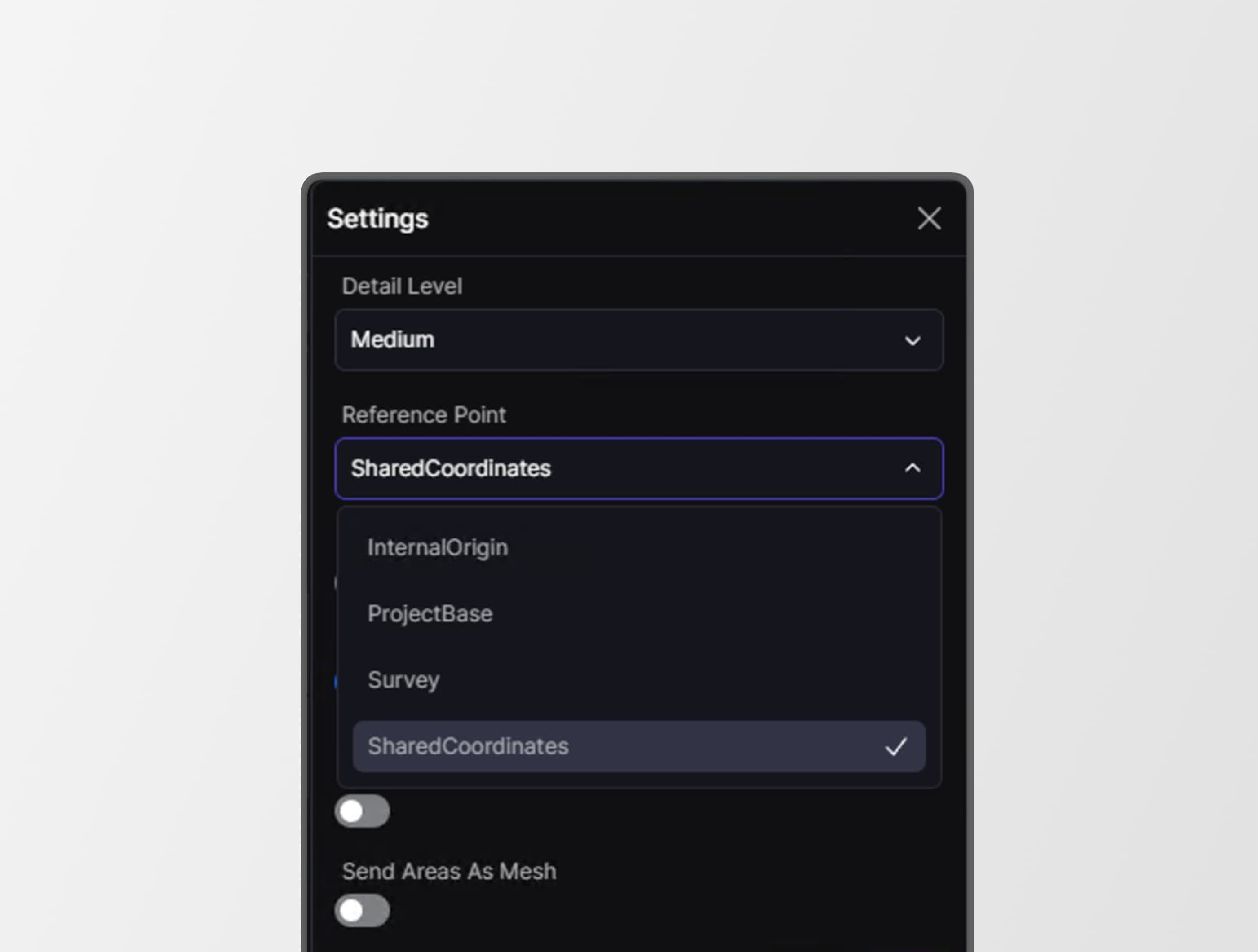
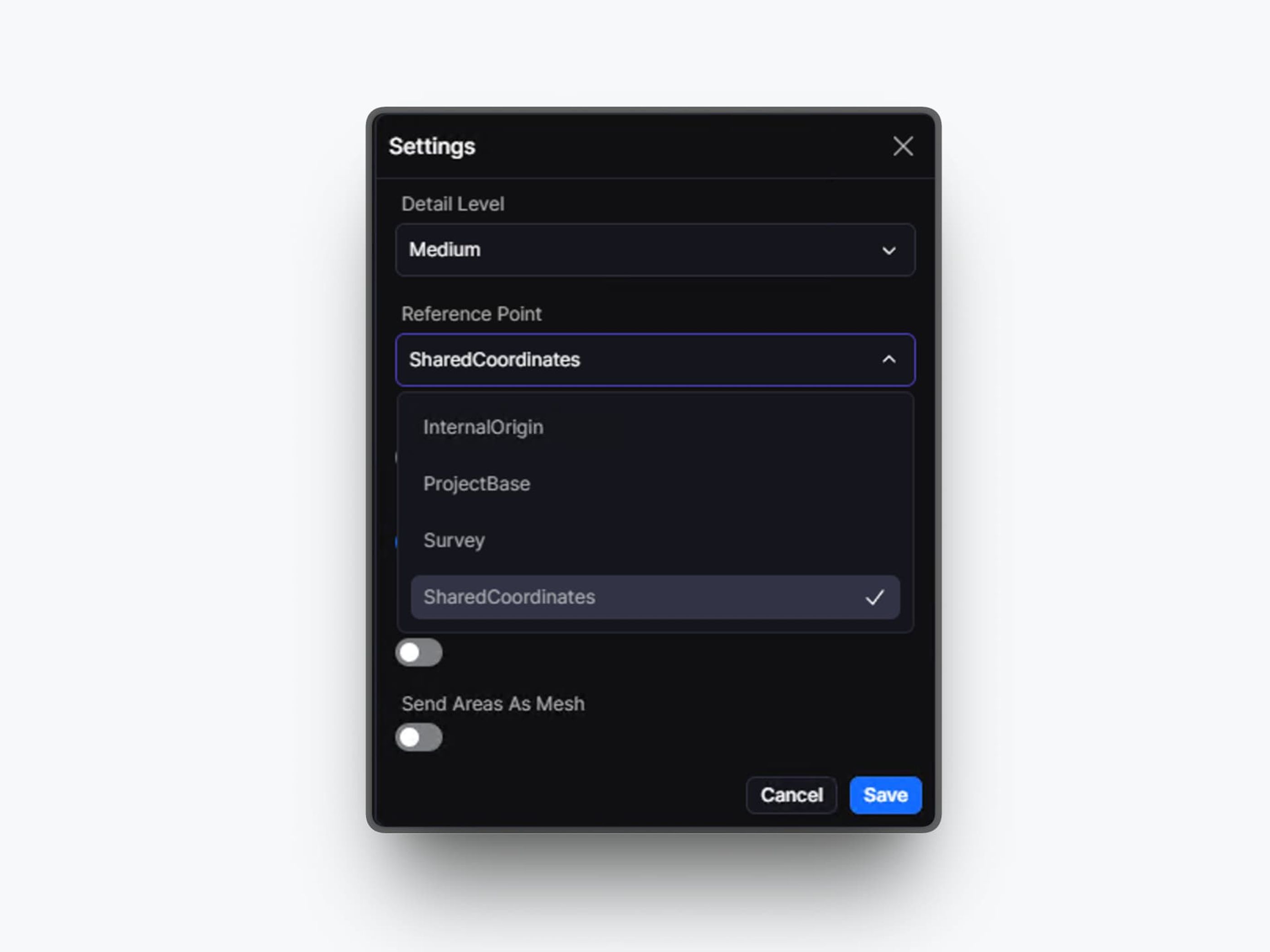
Shared Coordinates as a reference point New
Shared Coordinates can now be used as a reference point, allowing models to align correctly using survey point transforms and true north rotation.
Crash on load fixed Fix
An error causing startup crashes has been resolved, so the connector loads reliably across supported versions.
Unimportable geometry handled gracefully Fix
Geometry that cannot be imported is now rejected with rollback, so partial or broken results are avoided.
Far-from-origin model placement stabilized Fix
Out-of-bounds snapping issues for far-from-origin geometry have been resolved, so large-coordinate models behave predictably.
Transforms applied correctly to curves in linked DirectShapes Fix
Curves within linked DirectShape elements now inherit accumulated transforms, so geometry is positioned correctly.
Lighting source materials excluded from quantity calculations Fix
Lighting source materials are now excluded, so quantity takeoffs are not inflated.
Parameter updates no longer applied to linked models Fix
Linked model elements are excluded from write-back, preventing unintended changes.
Rhino
Material type editing restored Fix
Material types can now be edited after application, so workflows are not blocked.
All materials are now correctly applied on receive Fix
All materials are now applied during receive, so models appear as expected without manual fixes.
AutoCAD and Civil 3D
New model name pre-filled correctly Fix
Model creation now defaults to the file name, so users don’t need to clean up full path names.
Power BI Connector v3.6.0
Section box tool New
The 3D visual now includes a section box tool, allowing you to slice through models directly within Power BI reports.
Simplified camera controls
Camera controls are grouped into a single menu, making navigation easier and less cluttered.
Authentication and token handling updated Fix
Authentication has been updated with improved token handling, so embedded reports access data more reliably.
Blender Connector v3.5.0
Blender 5.1 supported New
The connector now supports Blender 5.1, so users can upgrade without losing compatibility.
Authentication without Desktop Service
You can log in directly from Blender, so the Desktop Service is no longer required for authentication.
Navisworks
File upload stability improved Fix
A threading issue affecting uploads has been resolved, so large files can be uploaded consistently.
Major memory and performance improvements
Memory usage and data size have been reduced by roughly 60 percent, allowing large Navisworks models that previously failed to be processed reliably.
Together, these updates make Speckle easier to use day to day, especially for teams managing large models, complex dashboards, and connected workflows across multiple tools. Whether you’re slicing through 3D views in Power BI, aligning cloud-synced models, or scaling connector deployment across your organization, this release gives you more control, consistency, and confidence in your data.
Drag & drop files and open up your workflows.